
Software Features, Advanced Key Functions & Shortcut Keys Explained
Gaming keyboards today are no longer simple input devices — they are powerful control centers built for speed, precision, and personalization.
With the official software of the AULA AG75, users can unlock advanced features such as:
Full key remapping
Advanced key behavior customization
Magnetic switch trigger control
Macro programming
8K polling rate performance tuning
This guide walks you through every major function and interface, helping you fully utilize your keyboard.
Before using the software, the AG75 provides convenient hardware shortcuts for quick adjustments.
| Shortcut | Function |
|---|---|
| Fn + ↑ | Increase lighting brightness |
| Fn + ↓ | Decrease lighting brightness |
| Fn + → | Increase lighting speed |
| Fn + ← | Decrease lighting speed |
| Fn + ` | Switch lighting effects |
| Fn + Caps | Turn ambient light ON / OFF |
These shortcuts allow instant RGB control without opening the software.
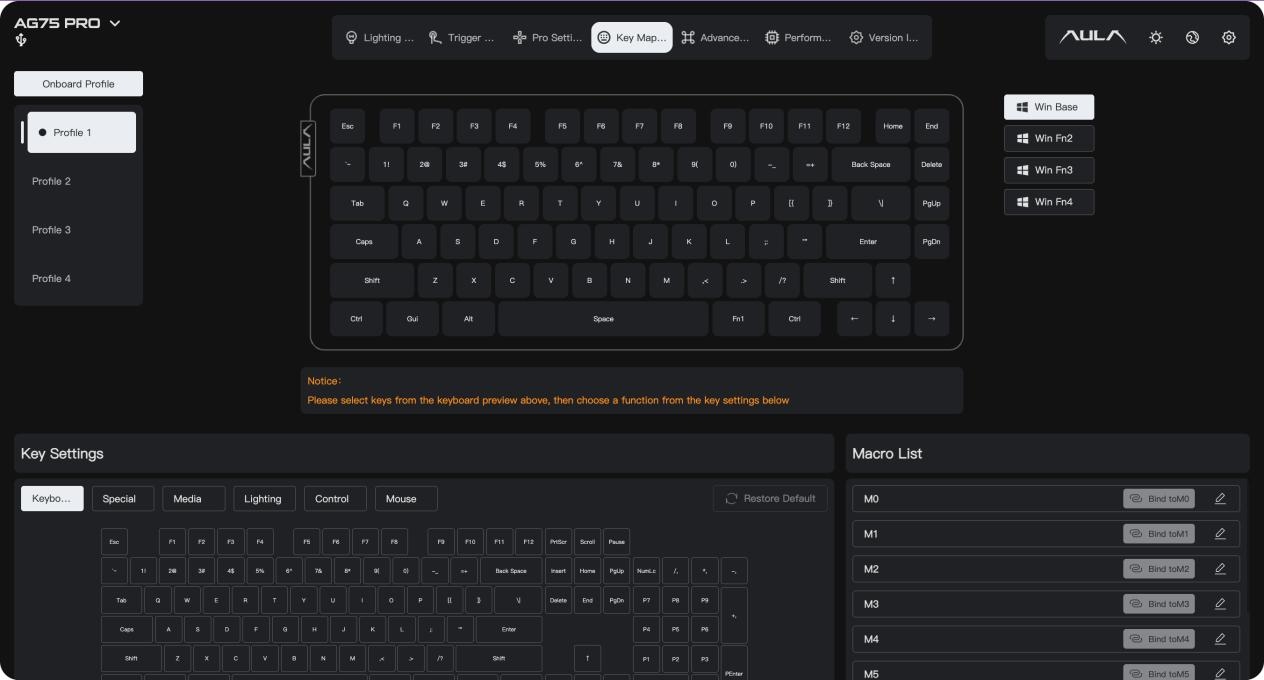
The Key Map interface enables full key customization. A visual keyboard layout is displayed on screen. Simply click any key to assign a new function.
Keyboard
Standard inputs: letters, numbers, function keys
Special
Print Screen
Scroll Lock
Pause
insert
Media
Volume control
Play / Pause
Next track
Lighting
Assign lighting control to keys
Control
Copy
Paste
Undo
Mouse
Left click
Right click
Scroll wheel
This allows users to optimize layouts for faster response and better ergonomics.
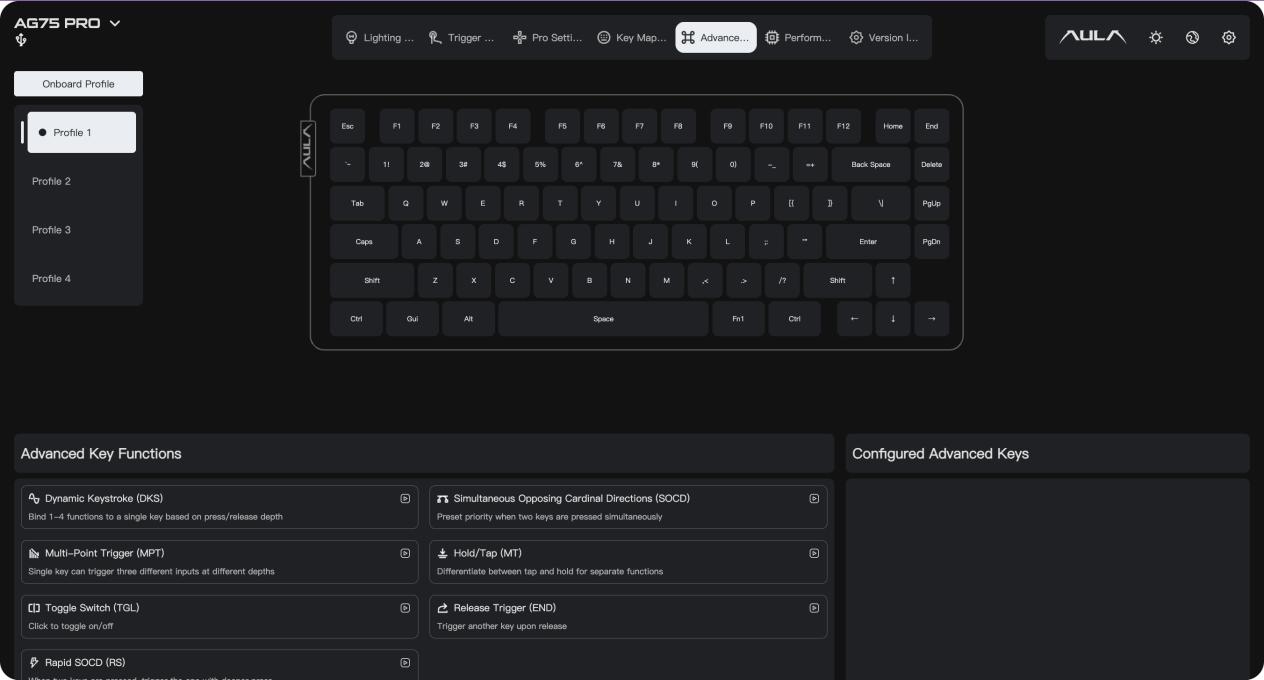
The Advanced tab unlocks next-generation key behaviors designed for magnetic switch keyboards.
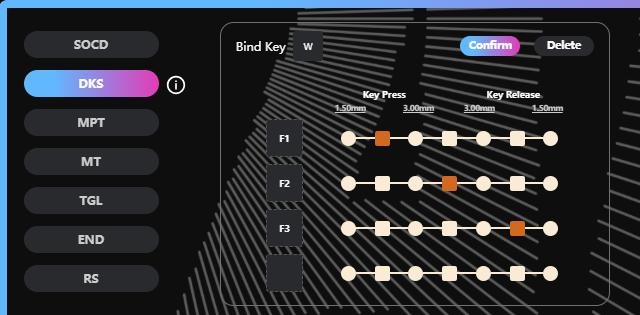
One key can trigger multiple actions based on press depth:
Light press → F1
Deep press → F2
Release → F3
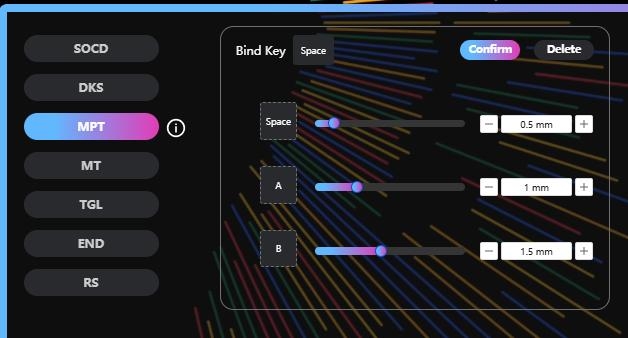
A single key activates multiple inputs at different actuation points.
Example:
Pressing the spacebar can trigger A + B + Space simultaneously.
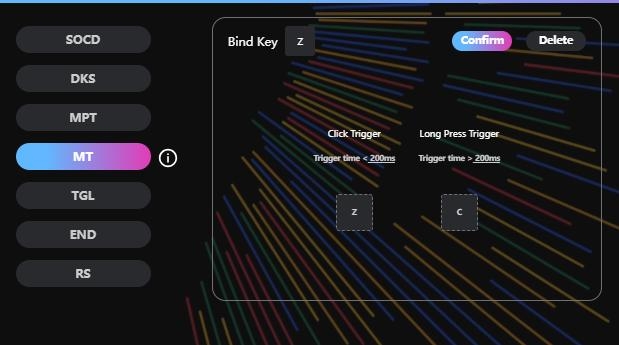
Assign dual functions to one key:
Tap → Z
Hold → C
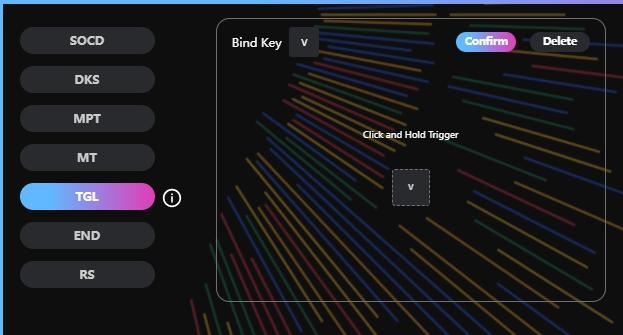
Turns a key into an ON/OFF switch.
Common uses:
Microphone mute
Game mode
Lighting control
Ensures accurate input when pressing opposite directions simultaneously.
Ideal for:
FPS games
Fighting games
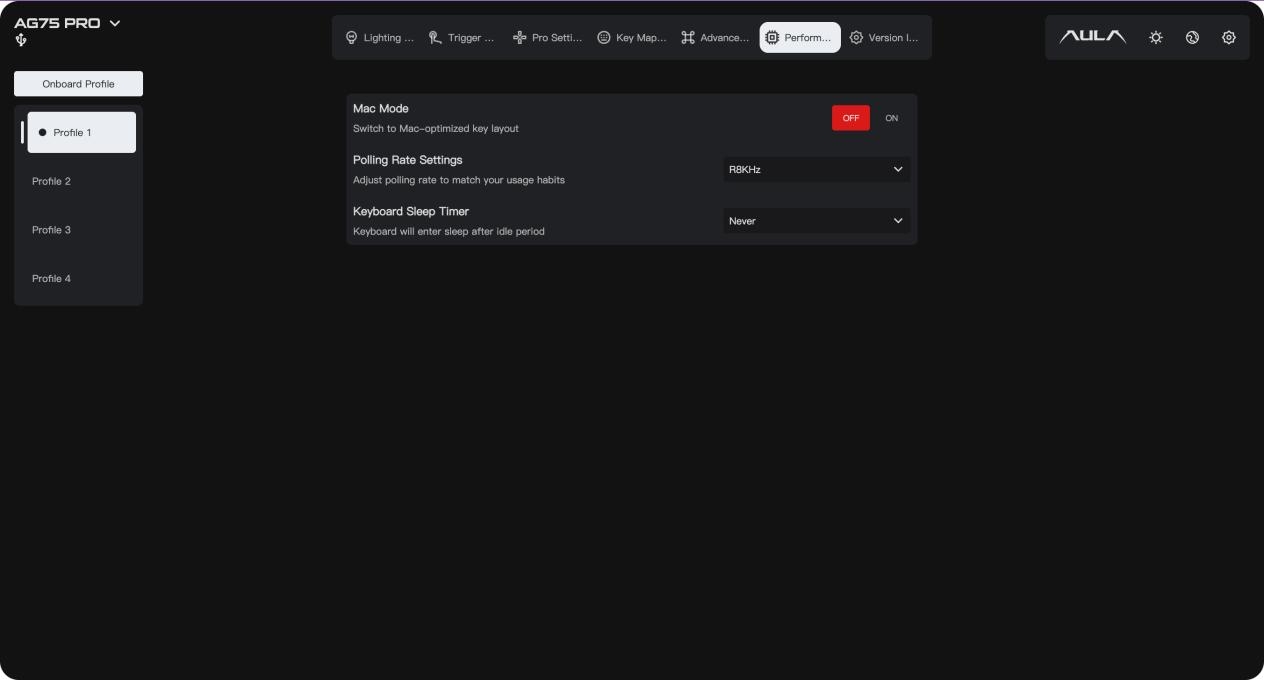
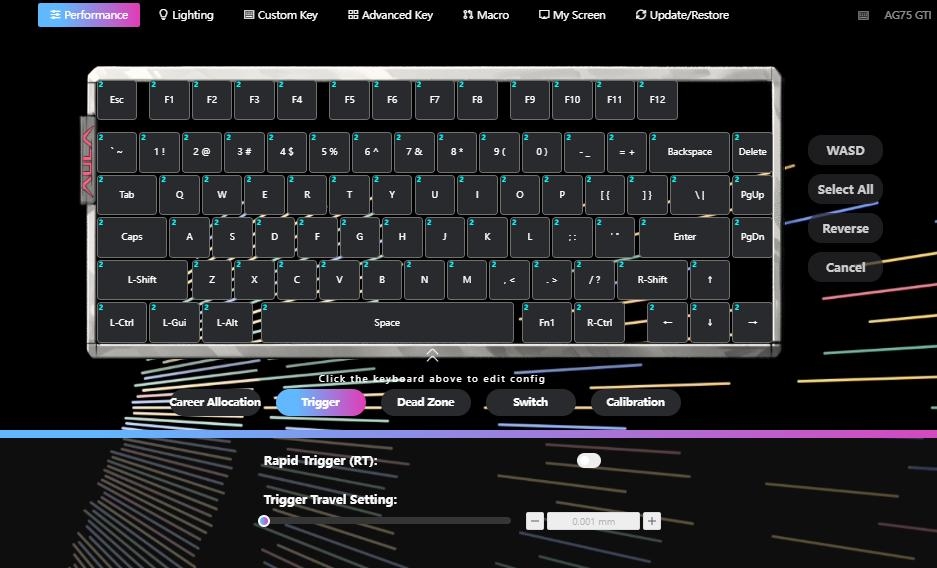
The Performance tab allows system-level optimization.
Switch keyboard layout for macOS compatibility.
Supports up to 8000Hz polling rate, providing:
Faster response time
Lower latency
Smoother gameplay
Set inactivity behavior:
Never sleep
Custom idle timer
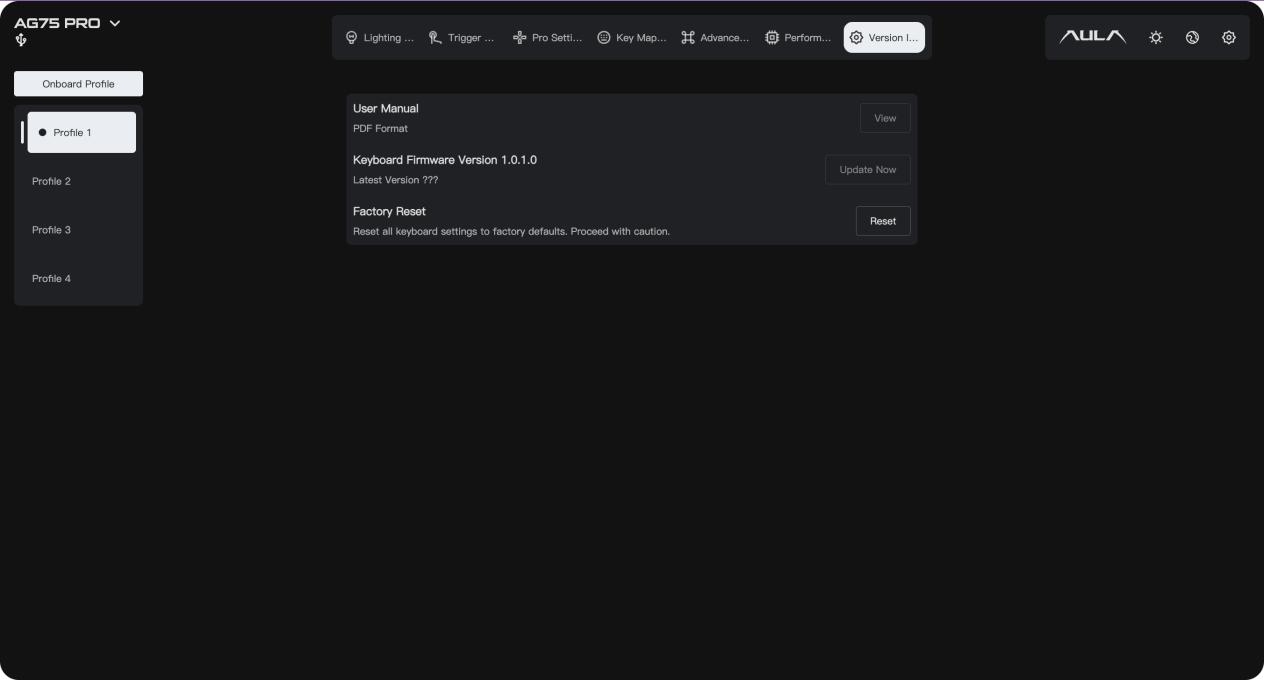
The Version Info section provides essential management tools.
Access the PDF manual directly.
Stay updated with:
Performance improvements
Bug fixes
New features
Restore all settings to default.
Useful for troubleshooting or resetting configurations.
If you need to download the latest firmware for AG75 magnetic switch keyboards, please visit:
www.aulastar.com
| Shortcut | Function |
|---|---|
| Fn + N | Open AULA Driver |
| Fn + M | Visit AULA Official Website |
For AG75 users, firmware updates can be downloaded directly from the official website.
If your system shows a virus warning during download or installation, do not worry. This is typically caused by uncommon file formats being misidentified.
The files are safe to use, and you can proceed with confidence.
Thank you for choosing AULA magnetic switch keyboards.
We hope you enjoy a powerful and seamless typing and gaming experience.