Which AULA Keyboard Should You Buy? A Beginner’s Guide to Choosing Your First Mechanical Keyboard
Buying your first mechanical keyboard sounds simple—until you start comparing all the options.
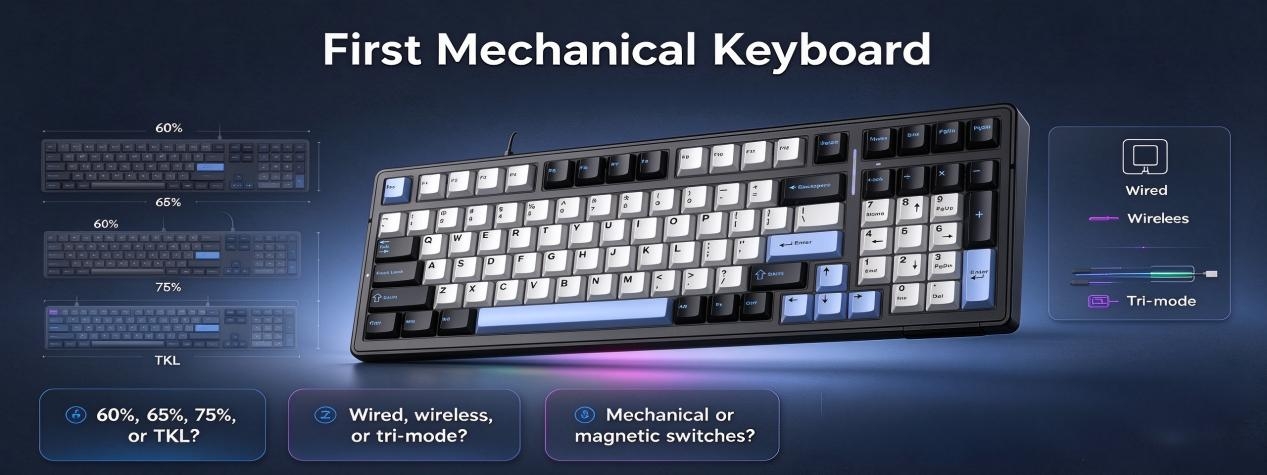
60%, 65%, 75%, or TKL? Wired, wireless, or tri-mode? Traditional mechanical switches or magnetic switches? And what exactly is a Hall Effect keyboard?
Once you start looking at gaming keyboards, the choices can quickly become overwhelming.
The good news is that you don't need to understand every specification before choosing your first keyboard. A better approach is to start with how you use your keyboard, how much space you have, and what kind of typing or gaming experience you want.
Whether you are looking for a mechanical keyboard for gaming, a keyboard for everyday work, or your first Hall Effect keyboard, these three questions can help narrow down the right AULA keyboard for you.
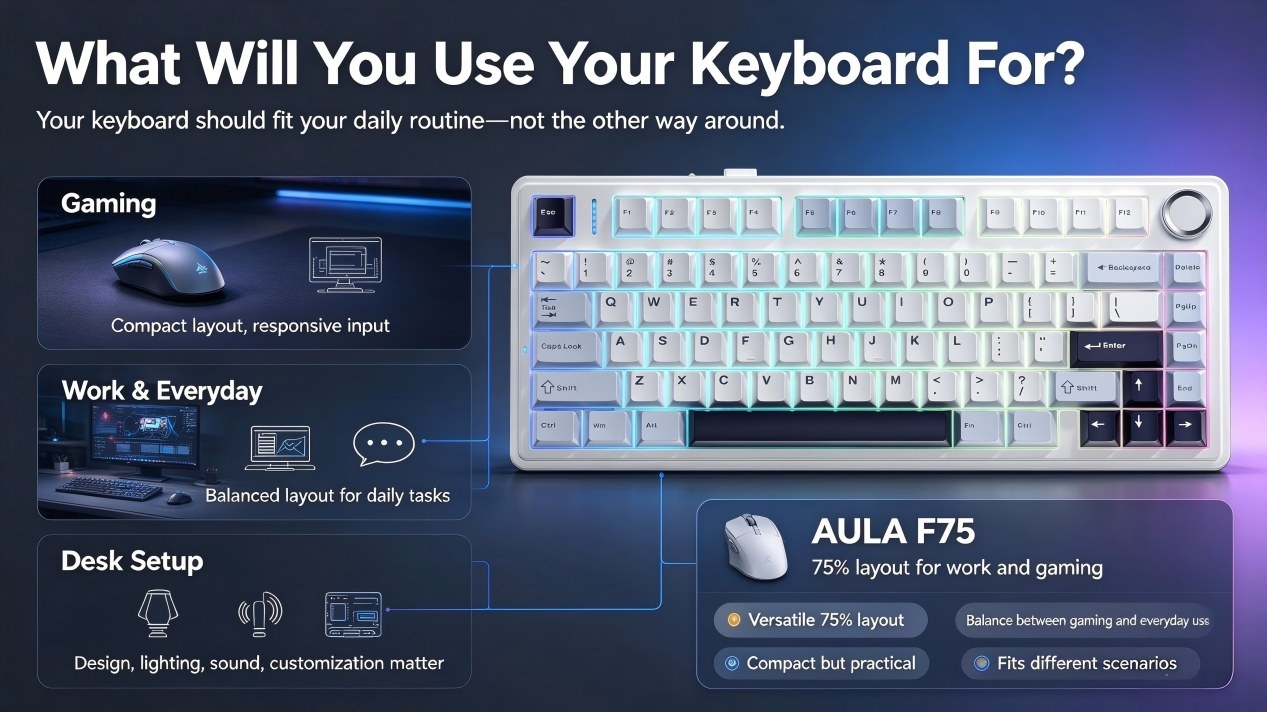
1. What Will You Use Your Keyboard For?
The best keyboard is not necessarily the one with the most features. It is the one that fits naturally into the way you work, play, and use your desk.If gaming is your main priority, a compact gaming keyboard can give you more room for mouse movement while keeping frequently used keys within easy reach.If you spend your day switching between work, browsing, chatting, and gaming, a more balanced mechanical keyboard layout may make more sense. You may want enough keys for everyday tasks without taking up unnecessary desk space.And if your keyboard is an important part of your desk setup, factors such as design, RGB lighting, typing sound, wireless connectivity, and customization can become just as important as raw performance.
For a Balanced Everyday Experience: AULA F75
The AULA F75 uses a popular 75% layout that keeps the keyboard compact without removing many of the keys people use every day.
That makes it a practical option for users who want one 75% mechanical keyboard that can move naturally between work, browsing, and gaming.
The F75 is worth considering if you want:
A versatile 75% layout
A balance between gaming and everyday use
A compact but practical desk footprint
A mechanical keyboard for different scenarios
A keyboard that does not sacrifice too much functionality for size
For someone searching for a first mechanical keyboard, a 75% layout can be an easier starting point than going immediately to an ultra-compact design.
2. How Much Desk Space Do You Have?
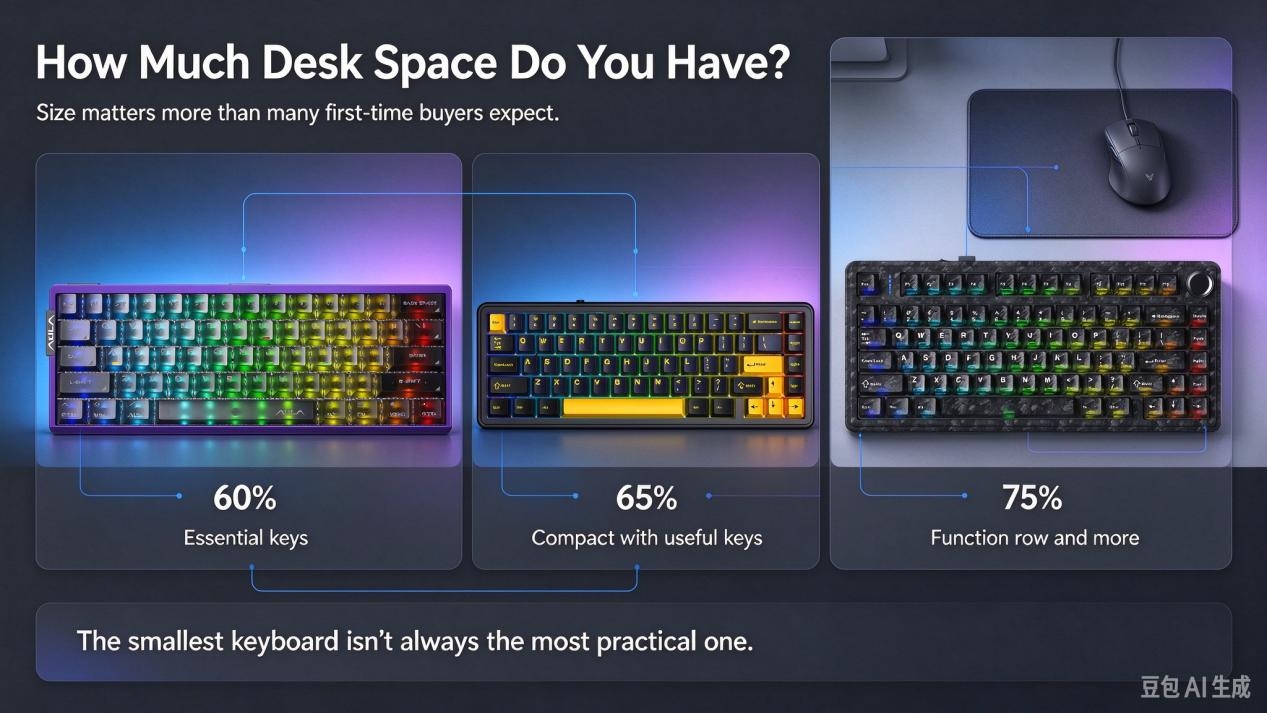
Keyboard size has a bigger impact on your setup than many first-time buyers expect.
A smaller keyboard leaves more room for your mouse and can create a cleaner desk layout. This can be particularly useful for FPS players who use lower mouse sensitivity and need more space for wide mouse movements.But smaller does not automatically mean better.
As a keyboard becomes more compact, some dedicated keys disappear and may need to be accessed through Fn combinations or secondary functions. The right layout depends on which keys you actually use.
60% Keyboard: Maximum Compactness
A 60% keyboard focuses on the essential alphanumeric keys and takes up very little desk space.
This layout can work particularly well for compact gaming setups and players who want maximum mouse movement. The trade-off is that dedicated function keys, arrow keys, and other controls may be removed from the main layout.
For users who mainly play games and do not frequently need dedicated navigation keys, a 60% gaming keyboard can be a practical choice.
65% Keyboard: Compact With More Functionality
A 65% keyboard keeps the compact footprint while adding commonly used keys such as dedicated arrow keys.It sits between a 60% keyboard and larger layouts, making it an interesting option for users who want to save desk space without giving up too much functionality.If you want a compact mechanical gaming keyboard but still use your keyboard for everyday tasks, a 65% layout can offer a useful balance.
75% Keyboard: A Practical Middle Ground
A 75% mechanical keyboard takes another step toward everyday practicality.
You still get a compact design, but the layout retains a dedicated function row and more frequently used keys. For many users, this creates a comfortable balance between desk space, productivity, and gaming.
That is where the AULA F75 fits naturally.The smallest keyboard isn't always the most practical one. The right keyboard layout is the one that gives you the keys you actually use without taking away the space you need.
3. What Matters More: Typing Feel or Gaming Performance?
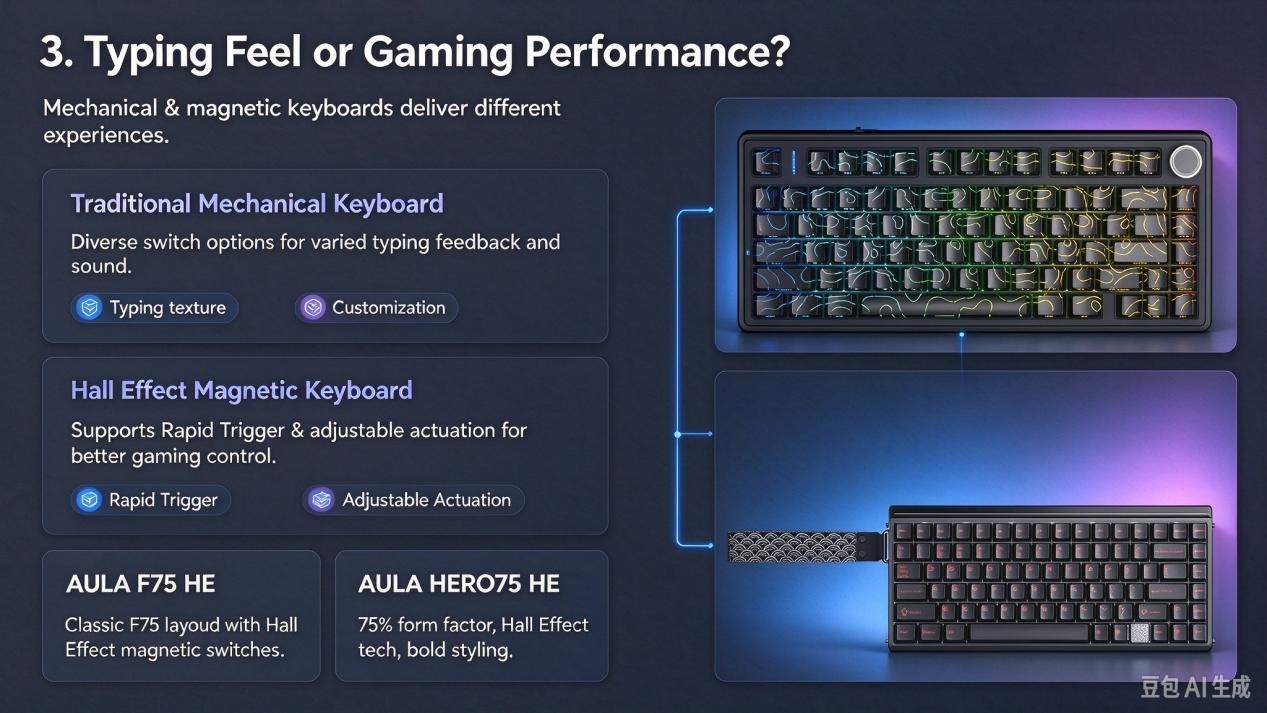
Once you have chosen a layout, the next question is what happens underneath the keycaps.Traditional mechanical keyboards use physical mechanical switches, with different switch designs offering different levels of smoothness, tactility, sound, and actuation feel.For users who care about typing feel, sound, customization, and the physical character of each keystroke, a traditional mechanical keyboard can be an excellent choice.But if your priority is gaming control and adjustable input behavior, you may want to explore a different technology: the Hall Effect keyboard.
Want to Try a Magnetic Keyboard? Meet the AULA F75 HE
The AULA F75 HE takes the familiar 75% form factor and introduces Hall Effect magnetic switch technology.Unlike traditional mechanical switches, Hall Effect switches detect key movement through magnetic sensing. This allows features such as adjustable actuation and Rapid Trigger, giving players more control over how key inputs are registered.
For gamers who want to fine-tune their keyboard around different games and play styles, a magnetic keyboard can offer a different experience from a traditional mechanical keyboard.The F75 HE is therefore a natural next step for someone who already understands the basics of mechanical keyboards and wants to explore Hall Effect gaming keyboard technology.
Looking for a More Expressive Hall Effect Keyboard?
The AULA HERO75 HE combines a familiar 75% layout with Hall Effect technology and a more distinctive design.It is aimed at users who want the performance characteristics of a magnetic gaming keyboard while also paying attention to the visual identity of their setup. If performance matters but desk aesthetics and customization matter too, the HERO75 HE offers another direction within the AULA keyboard lineup.
Mechanical Keyboard or Hall Effect Keyboard: Which Is Right for You?
There is no universal answer.
A traditional mechanical keyboard may make more sense if you care about switch feel, typing sound, customization, and the overall character of physical mechanical switches.
A Hall Effect keyboard may be more appealing if gaming performance, adjustable actuation, and Rapid Trigger are higher on your priority list.
The difference is less about which technology is “better” and more about which experience matches the way you use your keyboard.
| What matters most to you | A good place to start |
|---|---|
| Traditional mechanical typing feel | Mechanical keyboard |
| Compact gaming setup | 60% or 65% keyboard |
| Balance between gaming and everyday use | 75% mechanical keyboard |
| Adjustable actuation for gaming | Hall Effect keyboard |
| Rapid Trigger gaming features | Magnetic keyboard |
| Distinctive gaming desk setup | HERO75 HE |
| Versatile everyday mechanical keyboard | AULA F75 |
So, Which AULA Keyboard Should You Choose?
Once you understand your layout and switch preferences, choosing between AULA keyboards becomes much easier.
| If you are looking for... | Consider |
|---|---|
| Your first mechanical keyboard | AULA entry-level mechanical keyboards |
| A balanced keyboard for gaming and everyday use | AULA F75 |
| A compact desk setup | AULA BOX63 and compact layouts |
| Your first Hall Effect keyboard | AULA F75 HE |
| Hall Effect performance with a more expressive design | AULA HERO75 HE |
| A keyboard for work, gaming, and a feature-rich setup | AULA L99 |
| A flagship magnetic keyboard experience | AULA AG75 |
The goal is not to choose the keyboard with the longest specification list.
Instead, think about the things that will actually affect your daily experience: keyboard layout, desk space, switch technology, connectivity, gaming features, typing feel, and design.Once those priorities are clear, the right AULA keyboard becomes much easier to identify.
Your First Keyboard Should Fit the Way You Play
A mechanical keyboard can be a gaming tool, a productivity device, or one of the most personal parts of your desk setup.
That is why choosing your first mechanical keyboard should start with your own habits rather than a specification sheet.
Ask yourself:
What do I use my keyboard for?
How much desk space do I have?
Do I prefer traditional mechanical switches or magnetic switches?
Do I need gaming features such as Rapid Trigger and adjustable actuation?
Once you know the answers, the choices become much clearer.
From your first AULA mechanical keyboard to your first Hall Effect gaming keyboard, the right choice is the one that fits the way you work, play, and interact with your setup.
Choose what fits you. Build what inspires you. Fuel Your Passion.