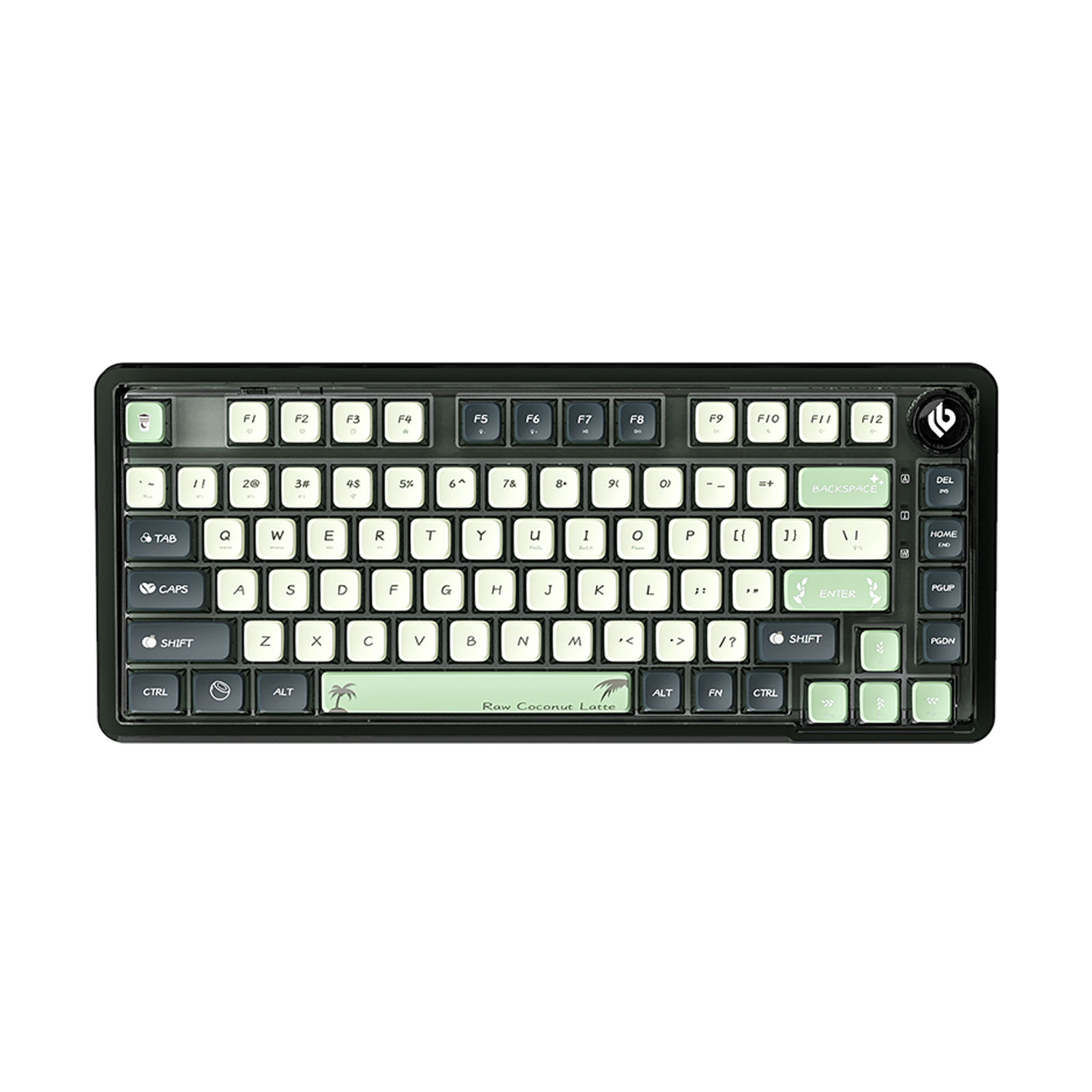
Already Own an F75? Here’s Why You Might Upgrade to the F75 HE
If you already own the AULA F75, you probably know why the keyboard is easy to keep using. Its 75% layout provides the keys most users need without taking up too much desk space, while the gasket-mounted structure gives it a distinctive typing feel for both gaming and everyday use.
So what makes the AULA F75 HE worth considering?
The answer is not that the original F75 has become outdated. If you are satisfied with its mechanical switches and current performance, there may be no urgent reason to change. The real difference is that the F75 HE introduces Hall Effect magnetic switches, Rapid Trigger, and adjustable actuation, giving users more control over how key inputs are detected and processed.
For existing F75 owners who are curious about magnetic keyboards, the F75 HE offers a way to explore this technology without giving up the familiar 75% layout.
F75 vs F75 HE: The Difference Is Under the Keycaps
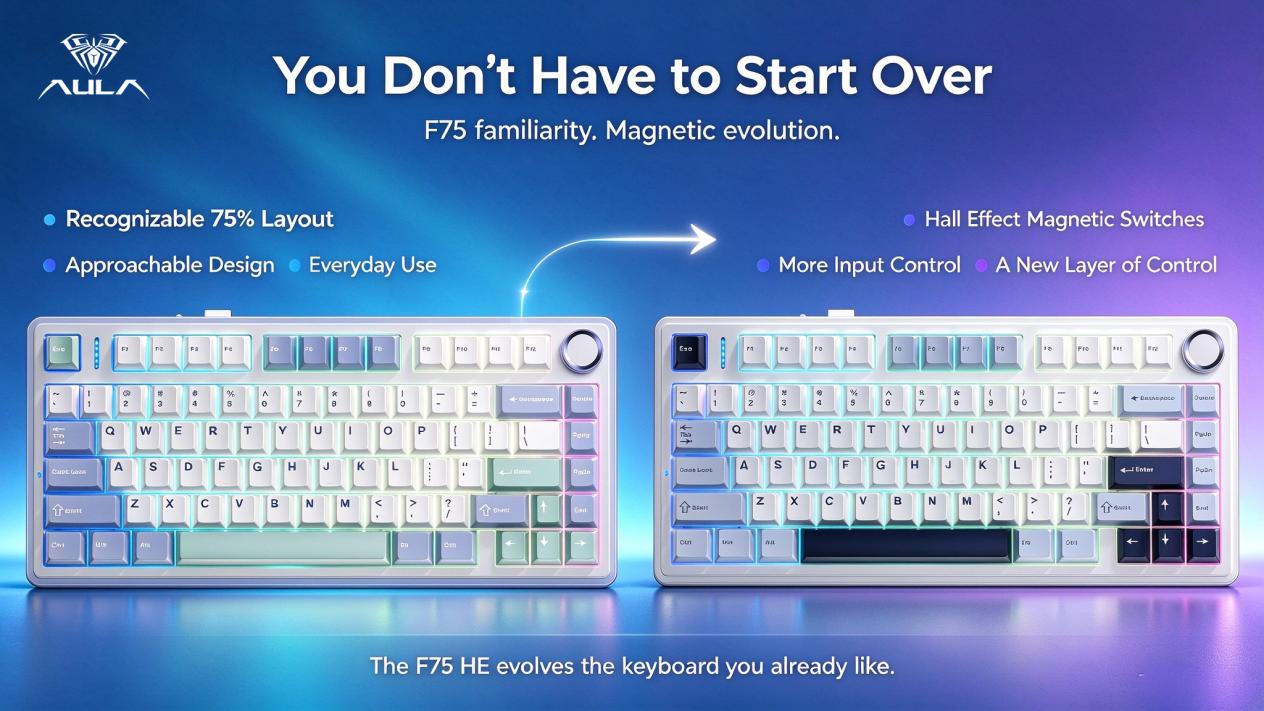
At first glance, the F75 and F75 HE look closely related. Both follow the compact 75% layout, so users who are already familiar with the F75 do not need to adapt to a completely different keyboard format.
The more important change is inside the switches.
The standard F75 uses traditional mechanical switches, where a keystroke is registered through the physical movement of the switch. The F75 HE keyboard uses Hall Effect magnetic switches, which detect key movement through magnetic sensing rather than relying on the same conventional mechanical contact structure.
This change gives the keyboard more flexibility in how it interprets key movement. Features such as Rapid Trigger and adjustable actuation become possible because the keyboard can respond to the position and movement of the key in a different way.
For someone simply looking for a comfortable mechanical keyboard, this technology may not be essential. For gamers and keyboard enthusiasts who care about input response, however, it creates a meaningful difference.
What Makes a Hall Effect Keyboard Different?
A Hall Effect keyboard detects key movement through changes in a magnetic field. Instead of treating a key press as a simple on-or-off action at one fixed point, the keyboard can use information about the key's position to determine when an input should be registered.
This gives Hall Effect keyboards a different approach to actuation and input control.
The advantage becomes more noticeable in gaming than in ordinary typing. When writing documents or browsing the web, most users simply need reliable key registration. In fast-paced games, however, small differences in how quickly a key responds and resets can affect movement and repeated inputs.
That is why Hall Effect technology has attracted attention in gaming keyboards. It does not automatically make a player faster or more accurate, but it provides a greater degree of control over how the keyboard responds to each movement.
Why Rapid Trigger Matters in Fast-Paced Games
Rapid Trigger is one of the main reasons gamers consider switching to an F75 HE.
In a conventional mechanical keyboard, a key generally has a defined actuation point and reset behavior. After pressing a movement key, the key needs to return through its reset point before another input can be registered in the traditional way.
Rapid Trigger takes a different approach. Instead of relying only on a fixed reset point, the keyboard can respond more dynamically to the movement of the key.
This can be useful in games that require frequent directional changes. A player may press a movement key, release it slightly, and immediately press it again to change direction. With Rapid Trigger, these repeated inputs can feel more responsive because the keyboard reacts to key movement more dynamically.
The feature is particularly relevant to competitive and fast-paced games, although its value depends on the type of game and the player's preferences. Someone who mainly plays slower-paced titles may notice less difference.
Adjustable Actuation Gives You More Control
Another important advantage of the F75 HE keyboard is adjustable actuation.
Traditional mechanical switches normally have a fixed actuation point determined by the switch design. Users can choose different switches, but the actuation behavior of each switch is generally predetermined.
Hall Effect magnetic switches offer more flexibility. The actuation point can be configured according to the user's preference, allowing the keyboard to respond earlier or later during the key's travel.
This can be useful when different users prefer different levels of sensitivity. A gamer who wants fast movement inputs may prefer a more responsive setting, while another user may prefer a deeper actuation point to reduce accidental presses.
The value of adjustable actuation is therefore not simply that it provides more settings. It allows the keyboard to better match the way an individual user plays, types, and interacts with the computer.
You Still Get the Familiar 75% Layout
New technology is only useful if the keyboard remains practical.
One of the strongest aspects of the F75 HE is that it keeps the 75% layout familiar to existing F75 users. The format retains the main function keys, arrow keys, and navigation controls while reducing the overall footprint compared with a full-size keyboard.
For gaming, the compact layout can leave more desk space for mouse movement. For work and everyday computing, it still provides access to the keys most users regularly need.
This makes the F75 HE a relatively natural upgrade for someone who already likes the F75. You are not changing your entire keyboard layout just to experience Hall Effect technology.
Is the F75 HE Only for Competitive Gaming?
No.
The F75 HE is clearly aimed at users who can benefit from magnetic switches, Rapid Trigger, and adjustable actuation, but its 75% layout also makes it suitable for everyday use.
The same keyboard can be used for gaming, office work, writing, browsing, communication, and other daily tasks. That matters because most users do not spend every hour of the day playing competitive games.
For everyday typing, the F75 HE can still function as a practical compact keyboard. When gaming requires faster or more customized input behavior, the additional Hall Effect features become available.
In this sense, the F75 HE is not simply a specialized gaming device. It combines a familiar everyday keyboard format with a switch technology that offers additional control when needed.
When Does Upgrading From the F75 Actually Make Sense?
Not every F75 owner needs to upgrade.
If you are happy with the feel of traditional mechanical switches and have no interest in Rapid Trigger or adjustable actuation, the original F75 may continue to meet your needs perfectly well. A newer keyboard does not automatically make an existing one unsuitable.
The upgrade becomes more meaningful when your needs have changed.
If you have started exploring Hall Effect keyboards, want more control over actuation, or play games where rapid directional inputs matter, the F75 HE offers capabilities that the standard F75 does not provide.
The same is true for keyboard enthusiasts who enjoy experimenting with input settings. Instead of upgrading simply for a new appearance, you are gaining a different way for the keyboard to detect and respond to your input.
Why Magnetic Switches Change the Upgrade Conversation
Many keyboard upgrades focus on physical changes such as keycaps, switches, cases, sound, or typing feel. These can make a keyboard more enjoyable, but they do not necessarily change how the keyboard interprets a keystroke.
A magnetic switch keyboard is different because the sensing technology itself changes the relationship between key movement and input.
That is what makes the F75 HE more than a simple refresh of the F75. The familiar keyboard format remains, but the underlying switch technology introduces new possibilities for actuation and input response.
For an existing F75 owner, this makes the upgrade easier to justify. You are not buying essentially the same keyboard with a slightly different appearance. You are moving from a traditional mechanical input system to a more configurable magnetic one.
The F75 You Know, With More Room to Customize
A worthwhile upgrade should provide a capability that users can actually feel or use.
The F75 HE keeps the practical characteristics that make the 75% format popular while adding Hall Effect magnetic switches, Rapid Trigger, and adjustable actuation. Together, these features give users more control over how their keys respond.
For some users, that additional control may not be necessary. For others, especially gamers who care about movement response and input customization, it can become an important part of the keyboard experience.
This difference is also why the F75 HE should not be viewed simply as a newer version of the F75. It represents a change in the underlying input technology while retaining a familiar form factor.
Should You Upgrade to the AULA F75 HE?
The decision ultimately comes down to what you expect from your keyboard.
If the standard F75 already gives you the typing feel, layout, and gaming performance you want, there is no reason to upgrade simply because the F75 HE exists.
But if you want to explore Hall Effect magnetic switches, Rapid Trigger, or adjustable actuation, the F75 HE provides a clear step forward. You can keep the compact 75% layout you already know while gaining more control over how your keys respond.
That is what makes the AULA F75 HE an interesting upgrade for existing F75 users. It does not make the original keyboard obsolete. Instead, it takes a familiar keyboard concept and changes what happens beneath each key.
The F75 gives you a practical and versatile keyboard. The F75 HE gives you more control over how that keyboard responds.
AULA F75 HE — The Classic, Reimagined.